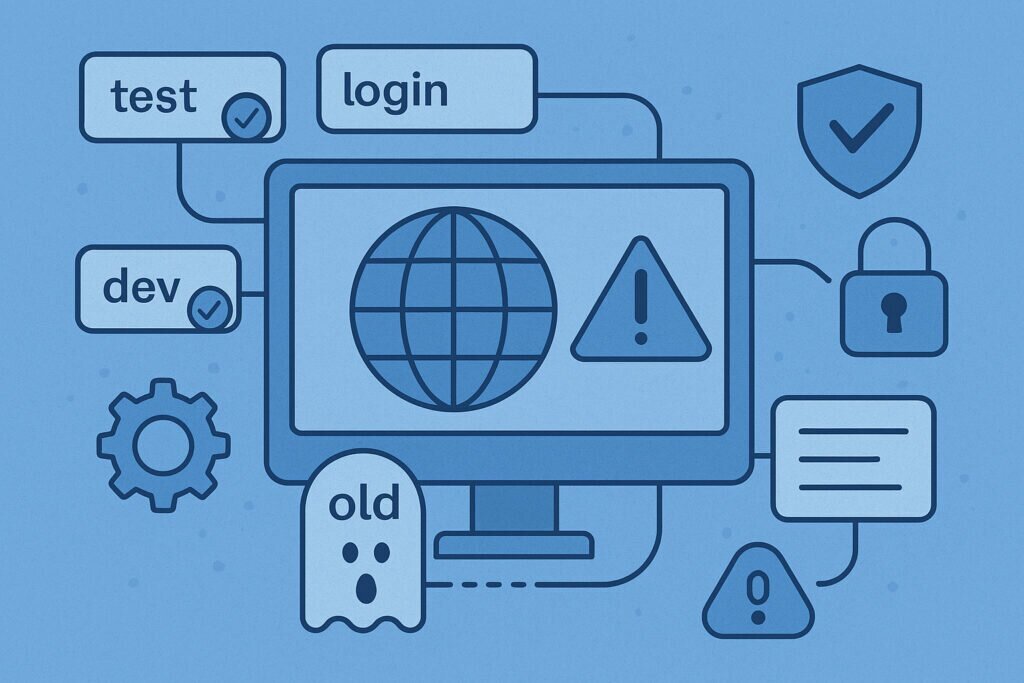
Every organization starts with good intentions. A developer spins up a staging environment to test new features. The marketing team creates a temporary landing page for a campaign. Someone sets up a demo site for a potential client. Each subdomain gets added to your DNS records, serves its purpose, and then… gets forgotten.
This is how ghost subdomains are born. They’re the digital equivalent of leaving your house keys under the doormat long after you’ve moved out. The subdomain entries remain in your DNS records, pointing to servers you no longer control, services you’ve canceled, or infrastructure you’ve decommissioned. And attackers know exactly where to look for them.
The Lifecycle of a Forgotten Subdomain
Let me walk you through how this typically happens. Your company launches a new product, and the development team creates test.yourcompany.com for testing. They configure the DNS to point to an AWS S3 bucket or a cloud server. The product launches successfully, everyone celebrates, and the project moves into production on the main domain.
Six months later, someone cancels that AWS account to cut costs. The S3 bucket gets deleted. But nobody thinks to update the DNS records. Why would they? The subdomain isn’t being used anymore.
Here’s the problem: That DNS record is still live, still resolving, still pointing to a resource that no longer exists. An attacker can claim that same S3 bucket name (which is now available), and suddenly they control what visitors see when they navigate to test.yourcompany.com. This is called a subdomain takeover, and it’s frighteningly common.
The Real-World Impact
I’ve seen this play out multiple times with clients. One company had an old partner portal that hadn’t been used in two years. The subdomain still existed in their DNS, pointing to a Heroku app that had been deleted. An attacker registered the same Heroku app name and hosted a convincing phishing page. Employees who had bookmarked the old URL were redirected to the fake site, and several credentials were compromised before anyone noticed.
Another case involved a marketing subdomain for a campaign from 2019. The agency handling the campaign had shut down their hosting account, but the DNS entry remained. The subdomain was indexed by search engines and still received traffic. When someone finally checked, they discovered the subdomain had been taken over and was hosting malware.
Why Traditional Security Misses These
Your firewall won’t catch this. Your antivirus won’t flag it. Penetration testers often miss these because they focus on active systems, not abandoned infrastructure. Ghost subdomains fall into a security blind spot because they’re technically not part of your active infrastructure anymore, but they’re still part of your DNS namespace.
The challenge is scale. A typical mid-sized company might have 50-200 subdomains. Larger enterprises can have thousands. Nobody maintains a complete inventory. Subdomains get created by different teams, for different purposes, across different time periods. There’s no central registry, no approval process, no decommissioning checklist.
Beyond Subdomain Takeovers
Even if a ghost subdomain isn’t vulnerable to takeover, it can still cause problems. Broken DNS records create poor user experience when customers stumble upon them. Misconfigured email authentication records (SPF, DKIM, DMARC) on forgotten subdomains can be exploited for email spoofing. Old API endpoints might expose data or functionality you thought was disabled.
I once audited a company that discovered they had a forgotten admin.staging subdomain with default credentials. It had been created three years earlier for testing and then abandoned. The server was still running, still accessible, and contained copies of production databases that were months out of date but still contained sensitive customer information.
The Discovery Challenge
You might think you can simply check your DNS management panel to see all your subdomains. But DNS records can exist in multiple places: your registrar, your hosting provider, Cloudflare or similar services, internal DNS servers. Records can also be created by third-party tools and services you’ve integrated with.
Certificate Transparency logs are one way to find subdomains, since SSL certificates list all the domains they cover. But not every subdomain has a certificate, and CT logs don’t tell you which subdomains are actually in use versus which are abandoned.
Building a Defense Strategy
The solution requires both discovery and ongoing monitoring. You need to find all subdomains associated with your primary domains, not just the ones you remember creating. This means scanning DNS records, checking certificate transparency logs, examining historical data, and looking for patterns that might reveal subdomains created by automated systems or third parties.
Once you have a complete inventory, you need continuous monitoring for two things: changes in DNS configuration and the health status of what those subdomains point to. If a DNS record suddenly changes, you need to know. If a subdomain starts pointing to infrastructure you don’t control, you need an immediate alert.
Cleaning Up the Mess
Start by auditing what you have. Document every subdomain, what it’s used for, who owns it, and whether it’s still needed. For active subdomains, verify the DNS records point to infrastructure you control. For inactive ones, decide whether to retire them completely or redirect them to your main site.
Set up a process for the future. When someone creates a new subdomain, document it. When a project ends, include DNS cleanup in the decommissioning checklist. Make subdomain management part of your regular security reviews.
The ghost subdomains lurking in your DNS records aren’t just technical debt. They’re security vulnerabilities waiting to be exploited. The test environment you created last year, the demo site from that failed sales pitch, the staging server for a product that never launched – they’re all potential entry points for attackers who know where to look.