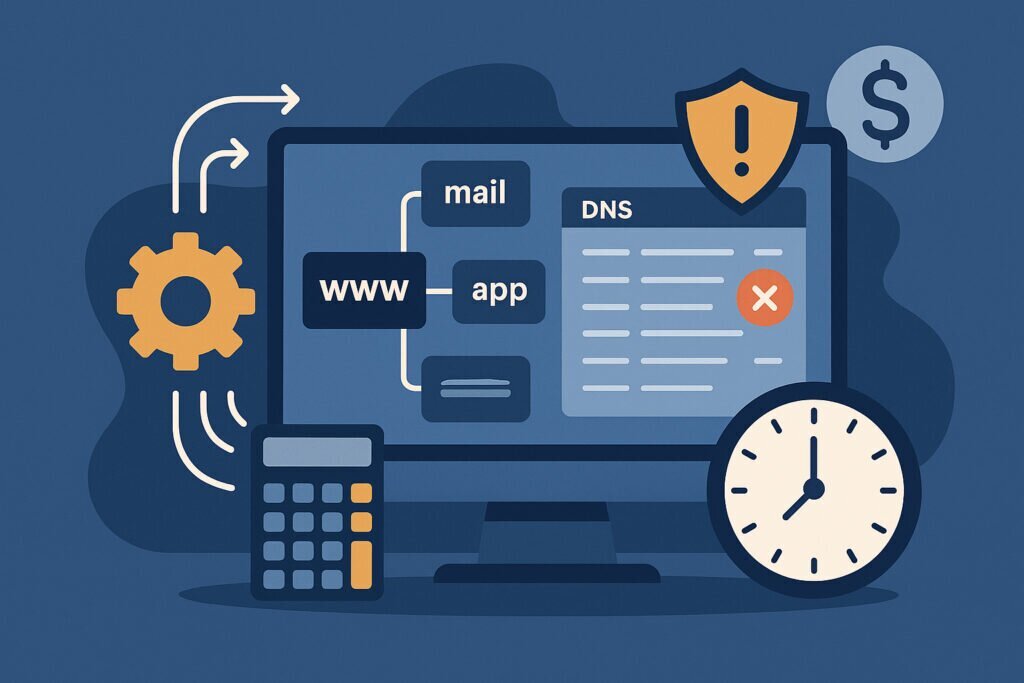
If you manage websites or any kind of online infrastructure, you already know that DNS is one of those things you never think about until something breaks. And when it breaks, it breaks badly. Customers can’t reach your site, emails bounce, and you’re suddenly spending your Friday evening staring at zone files trying to figure out what went wrong.
The truth is, most businesses lose money on DNS problems they could have prevented. Not because the fix is complicated, but because nobody was watching. That’s where automated DNS monitoring comes in, and honestly, once you set it up, you’ll wonder how you ever managed without it.
The Real Cost of Ignoring DNS Health
Let’s talk numbers for a moment. When a DNS misconfiguration takes your website offline, you’re not just losing traffic. You’re losing revenue, customer trust, and sometimes search engine rankings that took months to build. For an e-commerce site doing even modest business, an hour of downtime can easily cost thousands. And that’s just the obvious stuff.
The hidden costs are worse. A dangling CNAME record pointing to a cloud service you cancelled six months ago? That’s an open invitation for a subdomain takeover attack. Someone claims that subdomain, puts up a phishing page under your domain name, and suddenly your brand reputation is on the line. Cleaning up after that kind of incident involves legal teams, customer notifications, and weeks of damage control.
Manual DNS checks don’t scale either. If you’re running ten domains with dozens of subdomains each, logging into a dashboard once a week to eyeball records simply isn’t realistic. You’ll miss things. Everyone does.
A Lesson I Learned the Hard Way
I’ll share a quick story. A few years back, I was managing infrastructure for several web properties. One of them had a staging subdomain that pointed to a temporary server we had spun up for a client demo. The demo ended, the server was decommissioned, but nobody remembered to clean up the DNS record. It sat there for months, forgotten.
One day a colleague noticed the subdomain was serving content we didn’t recognize. Someone had claimed the IP address and was using our subdomain to host questionable content. It wasn’t a catastrophic breach, but it was embarrassing and entirely preventable. If we’d had automated monitoring flagging orphaned records, we would have caught it the same week the server went down.
That experience changed how I think about DNS management. It’s not enough to set things up correctly once. You need something watching continuously, because infrastructure changes all the time and human memory is unreliable.
What Automated DNS Monitoring Actually Does
Automated DNS monitoring works by continuously checking your domain’s DNS records and alerting you when something changes or looks wrong. A good monitoring service will handle several things for you.
First, it discovers subdomains you might not even know about. Large organizations accumulate subdomains over years. Marketing creates campaign pages, developers spin up test environments, partners get dedicated endpoints. Many of these get forgotten. Automated discovery maps out your entire DNS footprint so you can see everything in one place.
Second, it watches for configuration problems. Missing or broken SPF and DKIM records mean your emails are more likely to land in spam folders or get rejected entirely. Expired SSL certificates on subdomains create browser warnings that scare visitors away. Records pointing to decommissioned servers create takeover risks. Monitoring catches all of these automatically.
Third, and this is the part that saves real money, it alerts you immediately when something goes wrong. Instead of finding out from an angry customer or a sudden traffic drop, you get a notification the moment a record changes unexpectedly or a health check fails. That early warning is often the difference between a five-minute fix and a five-hour incident.
Step by Step: Getting Started with DNS Monitoring
Setting up automated monitoring is more straightforward than most people expect. Here’s a practical approach.
Start by auditing what you have. Add your primary domains to a monitoring service like DNSVigil and let it run subdomain discovery. You’ll likely be surprised by what turns up. Old test environments, forgotten campaign pages, subdomains created by former employees. Getting that full picture is step one.
Next, review the results and clean up anything that shouldn’t be there. Remove DNS records for services you no longer use. Fix any misconfigured SPF or DKIM entries. Update records that point to old IP addresses.
Then configure your alerts. Decide who should be notified and how. For critical production domains, you want instant notifications. For less important subdomains, a daily digest might be enough. The key is making sure nothing falls through the cracks entirely.
Finally, make DNS monitoring part of your regular workflow. When you decommission a server or cancel a cloud service, check whether any DNS records need updating. When you onboard a new service, verify the records are configured correctly. Monitoring doesn’t replace good habits, but it catches the inevitable mistakes.
Breaking the “Set It and Forget It” Myth
One of the biggest misconceptions about DNS is that it’s a one-time setup. You configure your records when you launch a site, and then you’re done. In reality, DNS infrastructure is constantly evolving. Cloud providers change IP ranges. Email authentication standards get updated. Team members create and abandon subdomains without telling anyone.
Another common myth is that DNS monitoring is only for large enterprises. In practice, smaller organizations are often more vulnerable because they lack dedicated infrastructure teams. A solo developer running multiple client sites benefits enormously from automated monitoring because there’s no one else to catch mistakes.
Frequently Asked Questions
Does DNS monitoring slow down my website? No. Monitoring services query your DNS records externally, just like any other visitor would. There’s no impact on performance.
How often should DNS records be checked? For production environments, checks every few hours are reasonable. Critical infrastructure might warrant more frequent monitoring. Services like DNSVigil handle this automatically so you don’t have to think about scheduling.
Is this worth it if I only have one domain? Yes, especially if that domain is important to your business. Even a single domain can have dozens of subdomains and records that drift over time.
Can’t I just use free DNS lookup tools manually? You can, but you won’t do it consistently. The whole point of automation is that it works when you’re busy, on vacation, or simply focused on other priorities.
The Bottom Line
Automated DNS monitoring isn’t glamorous, and it’s not the kind of tool you show off to colleagues. But it quietly saves you money by preventing outages, protecting against subdomain takeover attacks, and eliminating the hours you’d otherwise spend on manual checks. It turns DNS management from a reactive scramble into a calm, controlled process. And in a world where your online presence directly translates to revenue, that peace of mind is worth a lot more than the effort it takes to set up.