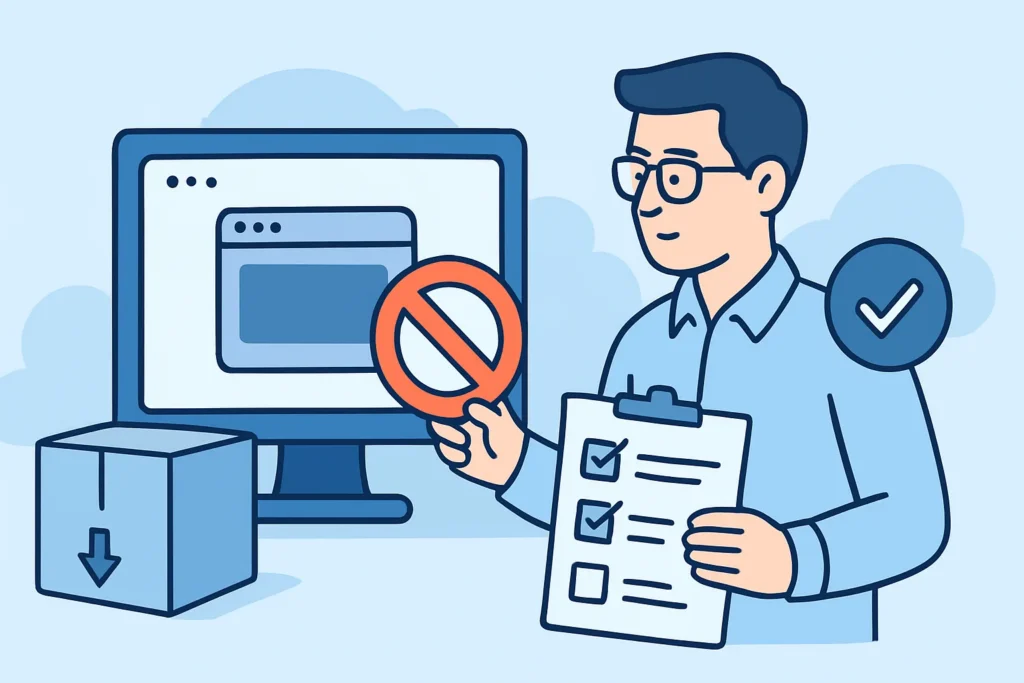
Retiring a website looks simple on a ticket: shut down the app, cancel the hosting plan, close the ticket. The DNS records, certificates, email settings and registrar entries behind that site often stay in place for years after the project ends, and a decommissioning checklist for retired web properties is how you clean them up in the right order. This article covers that order, the edge cases that change it, and the mistakes that come up most often after campaigns, rebrands and acquisitions.
Why Retired Sites Turn Into Security Liabilities
Hosting gets cancelled because it costs money. DNS records stay because they cost nothing. A CNAME pointing at an old cloud hostname adds nothing to anyone’s invoice, so nobody notices it until a researcher or an attacker does.
Here is a common version. Marketing launches a product microsite at launch.example.com on Azure App Service. Eight months later the campaign ends, the app is deleted to stop billing, and the CNAME still points at the old azurewebsites.net name. Anyone who creates an app with that name in their own subscription can now serve content on your subdomain. They get your brand, your cookie scope, and often a valid TLS certificate within minutes. Azure’s asuid TXT verification protects you only when it was actually set up, and many older bindings never had it.
The same pattern shows up with S3 buckets, GitHub Pages, Shopify storefronts and Fastly services. Each provider gives a different error when the resource is gone, and attackers scan for every one of those fingerprints.
Building a Decommissioning Checklist That Prevents Takeovers
The key rule is simple: DNS goes first, and the resource goes last. Do it in the other order and you leave a takeover window open. The steps below follow the order an experienced DNS administrator uses.
Step 1 – Inventory everything the property touched. The hostname in the ticket is only the start. Check the apex and www variants, CDN distributions, storage buckets, _acme-challenge records, DKIM selectors under _domainkey, MX entries, and verification TXT records for Google, Microsoft 365 or HubSpot. Search crt.sh for the domain. Certificate Transparency logs often show staging and preview hostnames that nobody wrote down.
Step 2 – Snapshot before you touch anything. Export the zone file and archive the site content. Regulated organizations should check retention rules first. Broker-dealers under SEC Rule 17a-4, for example, may have to keep public communications for 3-6 years, and a deleted site with no archive becomes a compliance finding.
Step 3 – Decide between redirect and removal. If the property has backlinks or regular visitors, use a 301 redirect to its successor for at least 12 months. Serve the redirect from infrastructure you already control, not from the platform you’re leaving. If there’s no traffic worth keeping, plan to remove the records completely.
Step 4 – Remove DNS records, wait out the TTL, then deprovision. Delete the CNAME, A, AAAA or ALIAS records. Wait at least one full TTL, which can be 24-48 hours on older zones still using an 86400-second TTL. After that, delete the cloud resource. For S3, think about keeping the bucket as an empty private placeholder, since bucket names are global and anyone can claim one once it’s released. The same applies to Elastic IPs: once released, an IP goes back into the AWS pool, and a forgotten A record can end up pointing at another customer’s server. Our article on cloud storage buckets left reachable via CNAME covers the bucket case in detail.
Step 5 – Lock down email. A domain that will never send mail again should say so in DNS. Publish v=spf1 -all, a null MX record (0 ., defined in RFC 7505), and a DMARC policy of p=reject. Remove old includes for Mailchimp or SendGrid, and delete DKIM selectors or publish them with an empty p= value to revoke them.
Step 6 – Clean up certificates and trust anchors. Turn off ACME renewal jobs, revoke the API tokens they used, and remove third-party verification records. On a parked domain, a CAA record of 0 issue “;” tells every compliant CA to refuse issuance. That one line makes it much harder to abuse the name for phishing.
Myth: Letting the Domain Expire Ends the Risk
Many teams believe that once the registration lapses, the problem is gone. In practice it’s the reverse. An expired domain goes through grace and redemption periods, roughly 30-75 days for most gTLDs, and then becomes available to anyone. Drop-catching services register valuable names within seconds of release.
Whoever registers the domain next inherits old backlinks, links in old emails, and sometimes password-reset messages sent to addresses that were never removed from SaaS accounts. Keeping a .com parked costs around $10-20 per year. For any domain that ever handled customer email or logins, plan to keep it parked for 2-5 years with registrar lock enabled. A scheduled domain portfolio review before renewal deadlines keeps these decisions deliberate rather than accidental.
Common Mistakes Practitioners Make
The most common mistake is deleting the resource first and leaving DNS cleanup for “next sprint”. Cloud teams and DNS owners are often different people, and the follow-up ticket gets lost. The takeover window that opens can stay open for months.
The second mistake is cleaning up only the hostname named in the ticket. A site called promo.example.com often had siblings: promo-staging, promo-api, a DKIM selector for the campaign’s email platform. Removing one record and leaving three dangling ones counts as partial progress at best. Our guide to dangling CNAME records explains why these leftover records are so easy to miss.
The third mistake is treating an error page as proof the site is dead. When a subdomain returns GitHub’s “There isn’t a GitHub Pages site here” or S3’s NoSuchBucket error, that’s exactly the fingerprint attackers look for. An experienced security engineer reads a provider-branded 404 as a warning, not as confirmation that the job is done.
Edge Cases Where the Standard Process Changes
Acquisitions break most of the assumptions above. The acquired company’s domains may sit in a registrar account nobody on your side can access, and zone files may live with a former agency. Getting access to the registrar comes before any cleanup work, and that alone can take 4-8 weeks.
Teams under 10 people rarely have separate DNS and cloud owners. That makes the ordering problem smaller, but the risk of forgetting is bigger, so a shared calendar reminder 30 days after decommissioning does a lot of work here. Organizations running split-horizon DNS with BIND or Windows Server zones need to clean both views. Records are often removed from the external zone while the internal one keeps pointing at a retired host that later gets reassigned to a new system.
FAQ
How long should I keep DNS records for a redirected site?
Keep the redirect records for at least 12 months, or until analytics show traffic close to zero. After that, remove the records and park the domain with null email records and a restrictive CAA entry.
Do I need to revoke TLS certificates when retiring a site?
Usually not, since certificates expire on their own. Revocation matters when the private key may have been exposed, for example on a shared server that wasn’t wiped. Disabling automated renewal matters more in every case.
Is deleting the subdomain record enough to prevent a takeover?
For that hostname, yes, provided no other record such as a wildcard still sends traffic to the same provider. Check the whole zone for related entries before you close the ticket.
Final Practical Tip: Verify 30 Days Later
A decommissioning checklist is only finished once the cleanup has been verified. Thirty days after the last step, query every hostname from the original inventory with dig, check crt.sh for new certificates, and confirm that SPF, MX and DMARC still return the locked-down values. This short follow-up catches records restored by automation, bucket names someone recreated, and DNS entries that were never removed.