If you run a website, you probably spent a good amount of time choosing the right hosting, installing an SSL certificate, and maybe even setting up a firewall. But here is an honest question: when was the last time you actually looked at your DNS records? For most website owners, the answer is “when I first set things up.” And that is exactly where problems start creeping in.
DNS is the foundation everything else sits on. If someone hijacks or manipulates your DNS, it does not matter how strong your passwords are or how up-to-date your software is. Visitors get redirected, emails get intercepted, and your reputation takes a hit before you even notice something is wrong.
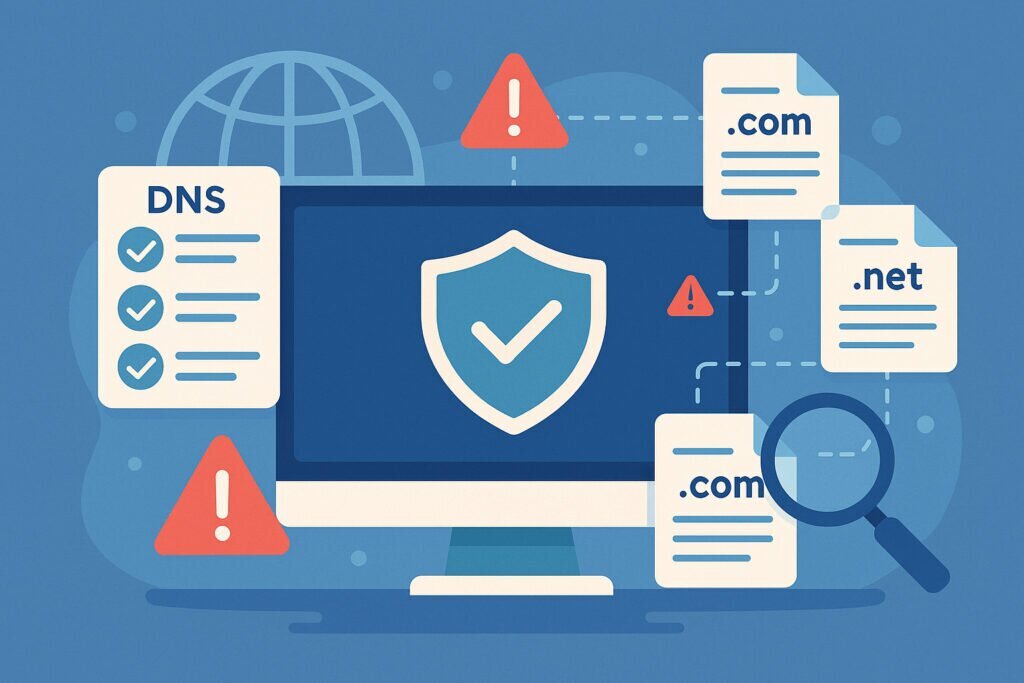
This checklist walks you through everything you need to lock down your DNS properly. Whether you manage a single business website or dozens of domains, you will find practical steps you can start working through today.
Start With a Full Audit of What You Actually Have
Before you secure anything, you need to know what exists. This sounds obvious, but it is the step most people skip. Over the years, subdomains accumulate. Someone set up staging.yourdomain.com for a redesign project two years ago. There is an old blog.yourdomain.com pointing to a service you cancelled. Maybe a dev.yourdomain.com that a former developer created and nobody remembers.
Each of these forgotten subdomains is a potential entry point for attackers. The technique called subdomain takeover is more common than people think. If an old subdomain still has a CNAME record pointing to a cloud service you no longer use, an attacker can claim that service and serve their own content on your domain.
I learned this the hard way when I discovered that a client had over forty subdomains, and roughly a third of them pointed to services that were either shut down or moved elsewhere. Nobody had bothered to clean up the DNS records. A tool like DNSVigil can automatically discover all subdomains tied to your domain and flag the ones that look problematic, which saves you from manually digging through zone files.
Verify Your Core DNS Records
Once you know what subdomains exist, go through your core records systematically.
Check every A record and AAAA record to make sure they point to IP addresses you actually control. Verify that CNAME records resolve to active services. Look at your MX records and confirm they point to your actual mail provider. Old MX entries pointing to a previous email host are a real security risk because someone could potentially receive emails intended for your domain.
Review your NS records too. Your nameservers should be the ones provided by your current DNS provider. If you switched providers at some point and left old NS records in place, you might have a split authority situation that causes unpredictable behavior.
Set Up Email Authentication Records
This is one area where a surprising number of domains fall short. Email authentication is not just about deliverability. It is a security measure that prevents attackers from sending emails that appear to come from your domain.
You need three things in place. First, a SPF record that specifies exactly which servers are allowed to send email on behalf of your domain. Keep it strict and avoid using overly broad mechanisms like including third-party services you no longer use. Second, DKIM signing should be configured through your email provider so receiving servers can verify message integrity. Third, publish a DMARC record that tells receiving servers what to do when SPF or DKIM checks fail.
Start with a DMARC policy of p=none to monitor what is happening, then move to p=quarantine and eventually p=reject once you are confident legitimate mail is properly authenticated. Many domain owners set SPF and forget about DMARC entirely, which means spoofed emails still reach inboxes without any consequences.
Enable DNSSEC
DNSSEC adds a layer of cryptographic verification to DNS responses. Without it, an attacker performing a man-in-the-middle attack could serve forged DNS responses and redirect your visitors to a malicious server. DNSSEC does not encrypt anything, but it ensures that the DNS answers your visitors receive are the ones your authoritative nameserver actually published.
Not every registrar makes DNSSEC easy to enable, but most major ones support it now. Check with your registrar and DNS provider. The setup usually involves generating keys and publishing DS records at the registrar level. It takes maybe fifteen minutes and it closes a real attack vector.
Lock Down Domain Registration
DNS security is not only about the records themselves. Your domain registrar account is a high-value target. Enable two-factor authentication on your registrar account without exception. Turn on registrar lock so that nobody can transfer your domain away without explicit authorization. If your registrar offers it, enable registry lock as well, which adds an additional manual verification step for any changes.
Use a dedicated email address for your domain registrar account, not a general-purpose inbox that multiple people access.
Monitor Continuously, Not Just Once
A checklist is great, but DNS is not a set-and-forget thing. Records change. People on your team add subdomains. Services get migrated. What was correct six months ago might be a vulnerability today.
Set up automated monitoring that checks your DNS records on a regular schedule. You want to know immediately if a record changes unexpectedly, if a new subdomain appears that you did not create, or if one of your subdomains starts pointing to a dead endpoint. DNSVigil does exactly this by continuously scanning your domain and all discovered subdomains, alerting you when something looks wrong. This kind of automated oversight replaces the tedious process of manual periodic audits and catches problems before they become incidents.
Common Questions Website Owners Ask
Do I need to worry about DNS security if I only have one domain with no subdomains? Yes. Even a single domain needs proper email authentication, correct records, and registrar-level protection. And you might have subdomains you are not aware of, especially if you have ever used services that create them automatically.
Is DNSSEC really necessary? For most business websites, yes. The setup effort is minimal and it protects against a class of attacks that are otherwise invisible to you.
How often should I review my DNS records? Manually, at least quarterly. With automated monitoring, you can rely on alerts and do a thorough manual review once or twice a year.
What is the single biggest DNS security mistake? Leaving old records in place after decommissioning a service. It takes seconds to delete a DNS record, but the damage from a subdomain takeover can take months to undo.
Take an hour this week to go through this checklist. You will probably find at least a few things that need fixing, and every item you address makes your entire online presence more resilient.