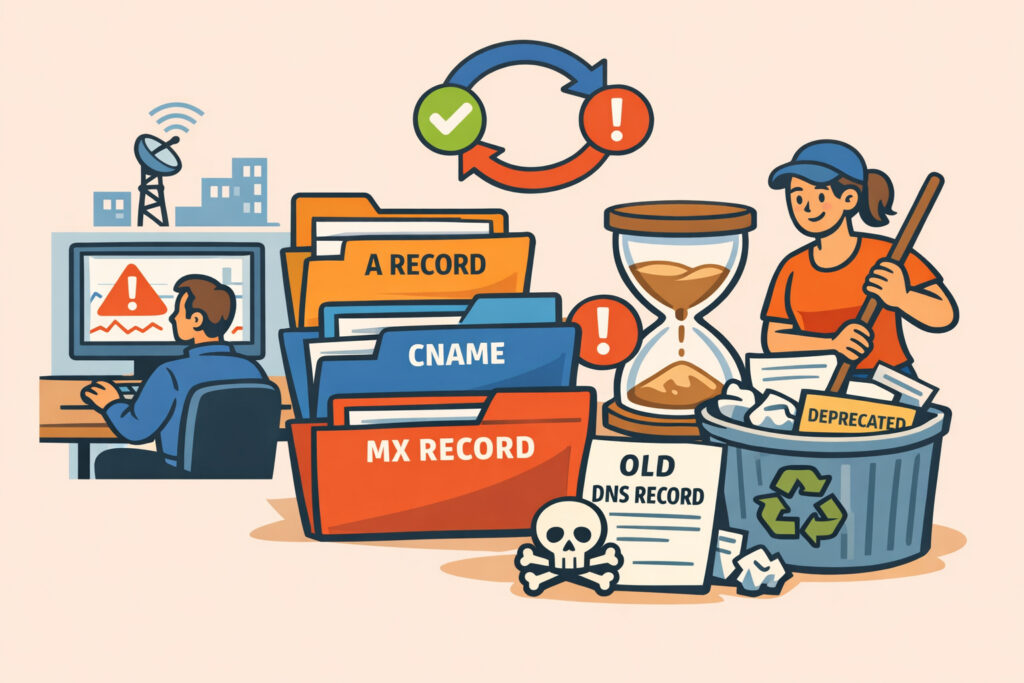
Every DNS record you create has a lifecycle – from the moment it’s added to solve a specific need, through its active service period, and eventually to the point where it becomes outdated or forgotten. Understanding the lifecycle of DNS records is essential for anyone managing domain infrastructure, because the records you forget about are exactly the ones that come back to cause problems. If you’ve ever inherited a DNS zone file with hundreds of entries and no documentation, you already know the sinking feeling.
This article walks you through each phase of a DNS record’s life, explains when and why cleanup becomes critical, and gives you practical strategies for keeping your zone files lean and secure.
How DNS Records Are Born – And Why They Multiply
Most DNS records start with good intentions. A developer spins up a staging server and creates an A record. Marketing launches a campaign microsite and needs a CNAME. The email team adds SPF, DKIM, and DMARC records. IT sets up a new SaaS tool and points a subdomain to the vendor’s infrastructure.
The problem is that creation is fast and easy, but decommissioning almost never happens on the same timeline. A project wraps up in two weeks, but nobody remembers to remove the DNS entries six months later. Multiply this across a mid-size organization running 50–100 subdomains, and within a couple of years you’re looking at a zone file where maybe 30–40% of entries point to infrastructure that’s been shut down, migrated, or transferred to a different team.
I’ve seen zone files with CNAME records pointing to AWS Elastic Load Balancers that were deleted two years prior. The subdomain still resolved – just to nothing useful – and nobody noticed until a security audit flagged it as a potential subdomain takeover vector.
The Four Phases of a DNS Record’s Lifecycle
Thinking about DNS records in lifecycle terms makes cleanup much easier to plan.
Phase 1: Creation. A record is added to serve a specific purpose – hosting, email routing, service verification, CDN integration, or similar. Ideally, every new record should be documented with an owner, a purpose, and an expected lifespan.
Phase 2: Active service. The record is doing its job. It resolves correctly, the underlying infrastructure is maintained, and someone is responsible for it. This is the easy phase – everything works, and nobody thinks about it.
Phase 3: Drift. This is where trouble starts. The service behind the record changes – maybe a vendor is swapped, a server is migrated, or a project is paused. The DNS record stays in place because removing it feels risky, or because nobody is sure if something still depends on it. Drift can last months or years.
Phase 4: Abandonment. The record now points to infrastructure that no longer exists or is no longer under your control. It’s a liability. Stale A records can resolve to IP addresses reassigned to someone else. Dangling CNAMEs can be claimed by attackers. Orphaned MX records can leak email to unintended destinations.
Most DNS security incidents happen in phases 3 and 4. The challenge is that records in these phases look identical to active records unless you’re actively monitoring them.
When Cleanup Becomes Critical
There’s a common myth that stale DNS records are harmless – that a record pointing to nothing is just dead weight. In reality, stale DNS entries are one of the most exploited attack surfaces in modern infrastructure.
Cleanup becomes critical when any of these conditions are true:
A CNAME record points to a third-party service you’ve cancelled. If the vendor releases that hostname, anyone can register it and serve content on your subdomain. This is subdomain takeover in its simplest form, and it happens far more often than most teams realize.
An A record points to an IP address you no longer control. Cloud providers recycle IPs constantly. Your old staging server’s IP could be someone else’s production box within hours of release.
MX or TXT records reference services that no longer validate your domain. This can degrade your email authentication chain, weakening SPF and DKIM protections and making your domain easier to spoof.
You’re approaching a compliance audit. Frameworks like SOC 2, ISO 27001, and PCI DSS all expect organizations to maintain an accurate inventory of their digital assets – and orphaned DNS records are a common audit finding.
A Practical DNS Cleanup Process
Here’s a process that works well on a quarterly cycle:
Step 1: Full subdomain discovery. You can’t clean what you can’t see. Use automated discovery to enumerate every subdomain associated with your domain. DNSVigil does this continuously, which eliminates the manual first step – but if you’re starting from scratch, tools like zone file exports and certificate transparency logs are your friends.
Step 2: Classify every record. Tag each record as active, uncertain, or stale. Active records have a known owner and a functioning target. Uncertain records need investigation. Stale records can be flagged for removal.
Step 3: Verify uncertain records. For each uncertain record, check whether the target resolves, whether anyone on the team owns it, and whether removing it would break anything. A good trick: set the TTL to something very short (60 seconds) and monitor for traffic before deleting.
Step 4: Remove stale records. Delete them from your zone. Keep a backup of the zone file before you make changes – restoring a deleted record is trivial, but only if you have the data.
Step 5: Document and schedule the next audit. Record what was removed and why. A proper DNS infrastructure audit every quarter prevents the drift-to-abandonment pipeline from growing unchecked.
Why Periodic Audits Aren’t Enough on Their Own
Quarterly cleanups are a solid baseline, but they leave gaps. A subdomain created and abandoned between audit cycles is vulnerable for up to three months. This is why continuous DNS monitoring matters – it catches changes in real time and alerts you the moment a record enters the drift phase.
DNSVigil’s approach combines ongoing subdomain discovery with health checks on every record. If a CNAME target stops resolving or an A record’s IP changes ownership, you get an alert immediately – not at the next scheduled audit.
Frequently Asked Questions
How often should I clean up DNS records?
At minimum, run a full DNS audit every quarter. Organizations with fast-moving development teams or heavy use of cloud services should supplement quarterly audits with continuous automated monitoring. The goal is to catch records entering the drift phase before they reach abandonment.
Is it safe to delete a DNS record I’m unsure about?
Before deleting, lower the TTL to 60 seconds and wait 24–48 hours. Monitor your logs for any traffic hitting that subdomain. If there’s no activity and no team claims ownership, it’s generally safe to remove – but always keep a zone file backup so you can restore it quickly if something breaks.
What’s the biggest risk of not cleaning up DNS records?
Subdomain takeover. When a CNAME or A record points to infrastructure you no longer control, an attacker can claim that resource and serve malicious content under your domain name. This bypasses trust signals like SSL certificates and cookie scoping, making phishing attacks significantly more convincing.
Keep Your Zone Files Honest
DNS records are cheap to create and easy to forget – which is exactly why they accumulate into a security liability. Treat your zone file like any other piece of infrastructure: it needs ownership, documentation, and regular maintenance. The organizations that take DNS record lifecycle management seriously are the ones that avoid the unpleasant surprises. Start with a full inventory, establish a cleanup cadence, and layer continuous monitoring on top. Your future self – and your security team – will thank you.