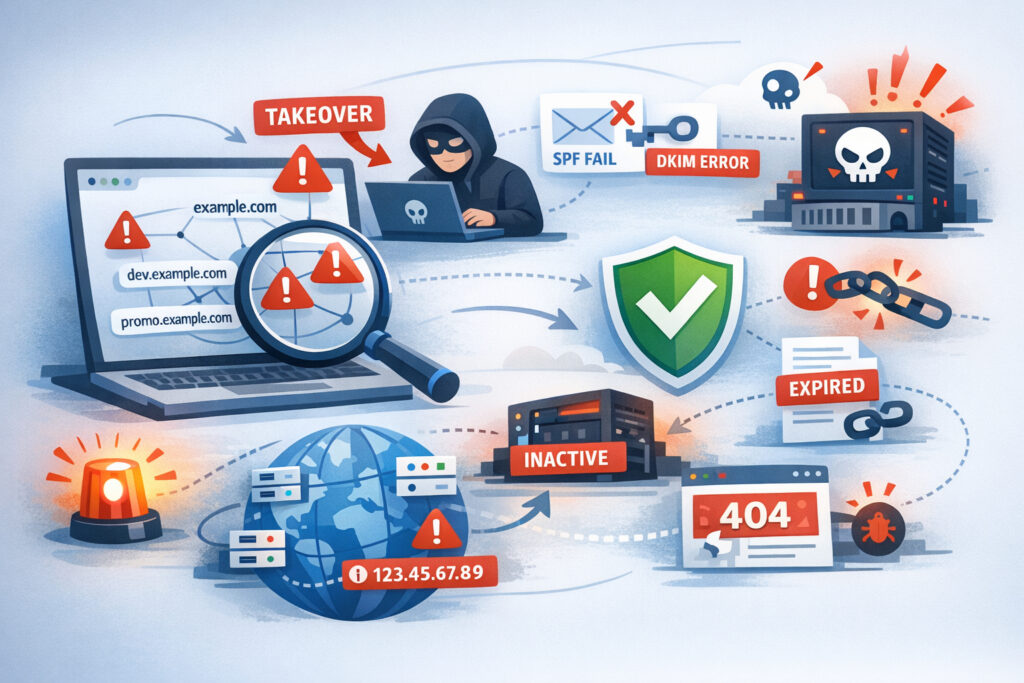
If you manage DNS for any organization — whether it’s five domains or five hundred — dangerous configurations are already hiding in your zone files. The question isn’t whether they exist; it’s whether you’ll find them before an attacker does. Learning how to identify and remove dangerous DNS configurations is the single most impactful step you can take to reduce your attack surface today.
Most DNS problems don’t announce themselves. A wildcard record someone added three years ago for a marketing test. A CNAME pointing to a decommissioned Azure instance. An MX record referencing a mail server that was replaced two migrations ago. These configurations sit quietly in your DNS until someone with bad intentions discovers them — and by then, you’re dealing with a subdomain takeover, email spoofing, or worse.
What Makes a DNS Configuration “Dangerous”
Not every misconfiguration is equally risky. Some cause minor annoyances — a broken link, a slow lookup. Others open direct attack vectors. Here’s what actually gets exploited in real incidents.
Dangling CNAME records are the biggest offender. When a CNAME points to an external service you no longer control — a cancelled Heroku app, a deleted S3 bucket, an expired GitHub Pages site — anyone can register that resource and serve content on your subdomain. I’ve seen this happen with staging environments that nobody remembered existed. The subdomain still resolved, the CNAME still pointed to Heroku, and the app name was available for anyone to claim.
Overly permissive wildcard records are another common danger. A wildcard A or CNAME record (*.example.com) means every possible subdomain resolves to something. Attackers love this because it gives them infinite subdomains to abuse for phishing campaigns — all under your legitimate domain name.
Missing or broken email authentication records — specifically SPF, DKIM, and DMARC — let anyone send email that appears to come from your domain. If your SPF record uses +all instead of -all, you’ve essentially told the world that every mail server on the internet is authorized to send on your behalf.
Stale A records pointing to IP addresses you no longer own are dangerous too. Cloud providers recycle IPs. If your old A record points to an IP that’s been reassigned to someone else’s server, traffic intended for your subdomain lands on infrastructure you don’t control.
Step-by-Step: Auditing Your DNS for Dangerous Configurations
Here’s the process I follow when auditing DNS infrastructure. It’s not glamorous, but it works.
Step 1: Enumerate everything. You can’t fix what you don’t know about. Start with a full DNS health check across all your domains and subdomains. Use subdomain discovery tools to find records that aren’t in your documentation — because they won’t be. Certificate Transparency logs, passive DNS databases, and brute-force enumeration together will surface subdomains your team forgot years ago.
Step 2: Check every CNAME destination. For each CNAME record, verify that the target resource still exists and is still under your control. Resolve the CNAME chain fully. If the final target returns NXDOMAIN or a generic cloud provider landing page, that record is a takeover risk right now.
Step 3: Validate external service ownership. For records pointing to third-party services (CDNs, SaaS platforms, cloud hosting), confirm active accounts and ownership. A common pattern is a CNAME to a custom domain on a platform where the subscription lapsed. The DNS record stays, but you’ve lost control of what it serves.
Step 4: Audit email authentication. Pull your SPF, DKIM, and DMARC records for every domain — including domains you don’t use for email. Domains without proper email records can be spoofed. Even parked domains need a v=spf1 -all record to tell mail servers that no one should be sending email from them.
Step 5: Review wildcard records. If you have wildcard DNS entries, ask yourself: do you genuinely need them? In most cases, explicit records for each subdomain are safer. If wildcards are necessary, make sure you have monitoring that catches unexpected subdomain usage.
The Myth of “We Don’t Have That Many Subdomains”
This is the misconception I encounter most often. Teams assume they have maybe ten or twenty subdomains. Then automated discovery reveals sixty, eighty, or more. Every proof-of-concept app, every third-party integration, every developer sandbox that was “just temporary” — they all created DNS records that nobody cleaned up.
The reality is that attackers exploit misconfigured DNS records precisely because organizations underestimate the scope of their own infrastructure. You can’t manually track DNS sprawl across years of organic growth, team changes, and vendor switches. It’s not a discipline problem — it’s a scale problem.
Removing Dangerous Configurations Safely
Finding bad records is half the battle. Removing them without breaking things is the other half.
Before deleting any record, verify it’s truly unused. Check your access logs, DNS query logs, and application dependencies. I’ve seen well-meaning cleanup efforts take down an internal API because the “orphaned” subdomain was actually still referenced in a config file on a production server nobody knew about.
For orphaned DNS records, lower the TTL to 300 seconds first, wait 24–48 hours, then remove. This way, if something breaks, you can re-add the record and it propagates quickly.
For DNS misconfigurations that create security gaps — like permissive SPF or missing DMARC — fix rather than remove. Replace ~all with -all in SPF. Add a DMARC record starting with p=none for monitoring, then move to p=quarantine and eventually p=reject as you gain confidence.
Document every change. DNS has no built-in version control, so keep your own changelog.
Making This Sustainable
One-time audits don’t solve the problem. New subdomains get created weekly. Services get decommissioned without anyone updating DNS. The only reliable approach is continuous automated monitoring that alerts you when new subdomains appear, when CNAME targets go stale, or when email authentication records change unexpectedly. DNSVigil does exactly this — combining subdomain discovery with ongoing DNS health monitoring so dangerous configurations get flagged before they’re exploited.
Frequently Asked Questions
How often should I audit my DNS configurations for security risks?
A full manual audit should happen at least quarterly, but that’s a minimum. Automated continuous monitoring is the real answer. DNS changes happen constantly — cloud resources spin up and down, teams add records without tickets, vendors change infrastructure. Quarterly audits miss everything that happens in between.
Can a single misconfigured DNS record really lead to a serious breach?
Absolutely. One dangling CNAME is enough for a subdomain takeover, which gives an attacker a trusted subdomain under your domain name. From there, they can host phishing pages, steal cookies scoped to your parent domain, or bypass email security filters. It’s a single record with cascading consequences.
What’s the fastest way to check if my domain has dangerous DNS configurations right now?
Start with your CNAME records — resolve each one and verify the target exists and is yours. Then check your SPF record for overly permissive mechanisms. These two checks alone will catch the most critical risks in under an hour for small environments. For anything larger, automated tools are essential.
The bottom line: dangerous DNS configurations accumulate silently over time, and they won’t fix themselves. Start with full visibility into what’s actually in your zone files, prioritize the records that create direct attack vectors, and put monitoring in place so new risks don’t slip through unnoticed. Your DNS is the foundation of your entire online presence — treat it that way.